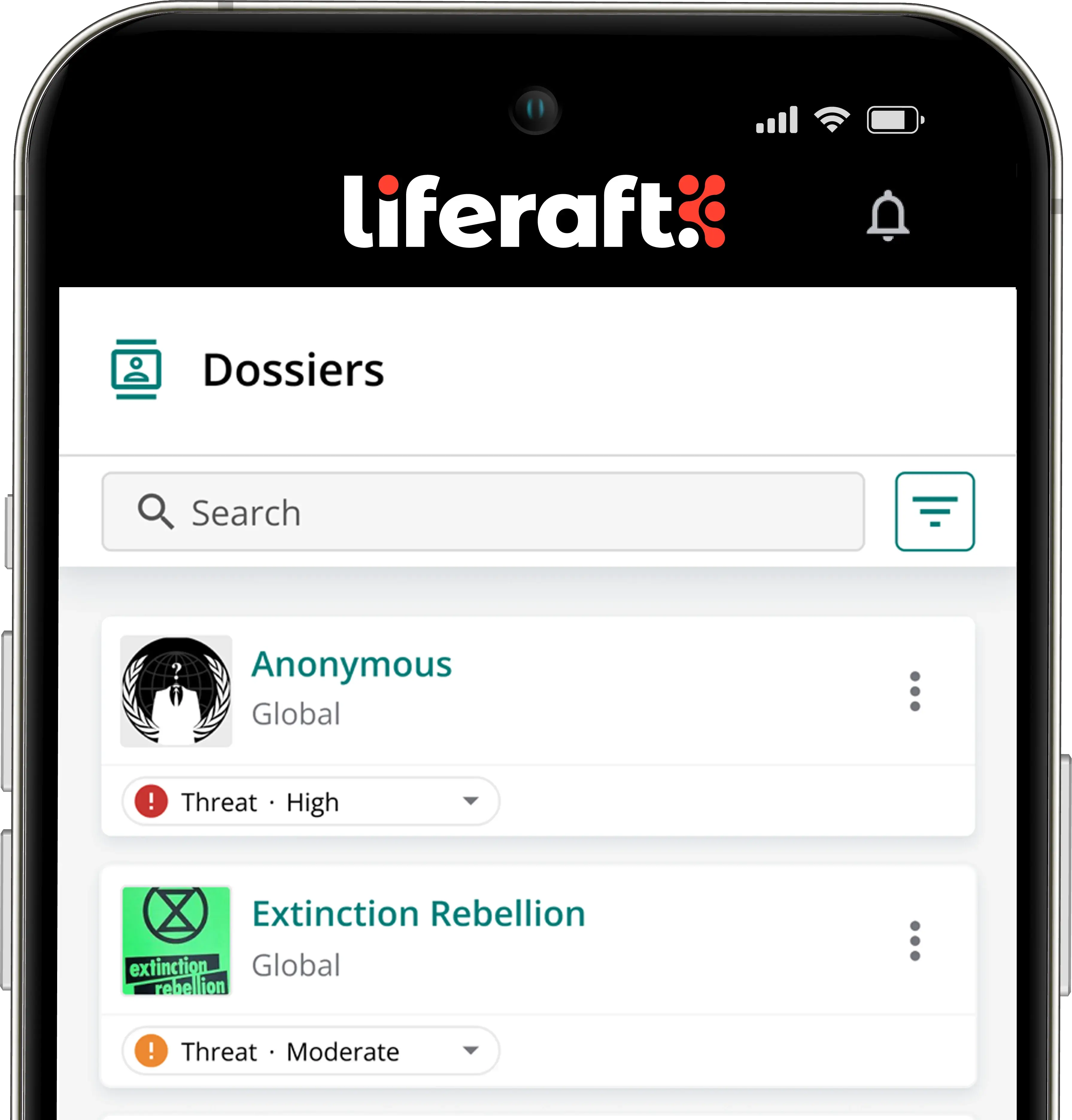

- Overview
- Threat Monitoring & Alerting
Threat Monitoring & Alerting
Real-time detection that cuts through the noise.
Liferaft delivers around-the-clock threat monitoring across public online sources, alerting your team the moment a credible risk emerges, so attention goes where it matters and nothing critical slips past.
Threats now surface across social media, forums, and fringe channels faster than any team can track by hand. Threat Monitoring & Alerting watches those sources continuously, filters out the noise, and routes verified, high-risk signals straight to your team through the channels they already use.
The Challenge
The volume and variety of online threats have outpaced manual monitoring. Risks to your people, executives, and operations appear across social media, blogs, forums, and fringe platforms, often well before anyone notices.
-
Security teams are left scanning disconnected sources, sorting through low-value noise, and reacting to incidents only after they have escalated.
The risk of doing nothing.
Without continuous, filtered monitoring, the first sign of a threat is often the incident itself, when the cost to people, assets, and reputation is highest.
How It Works
This is where the intelligence cycle begins with Detect & Collect. Liferaft continuously ingests signals from across the open, deep, and dark web, filters them against your organization's risk criteria, validates what's credible, and alerts your team in real time.
Signal
Collect signals from public online sources
Context
Filter against your keywords and risk criteria
Validate
Validate credible, high-risk activity
Action
Alert your team through their preferred channels
Key Capabilities
Customizable alerts
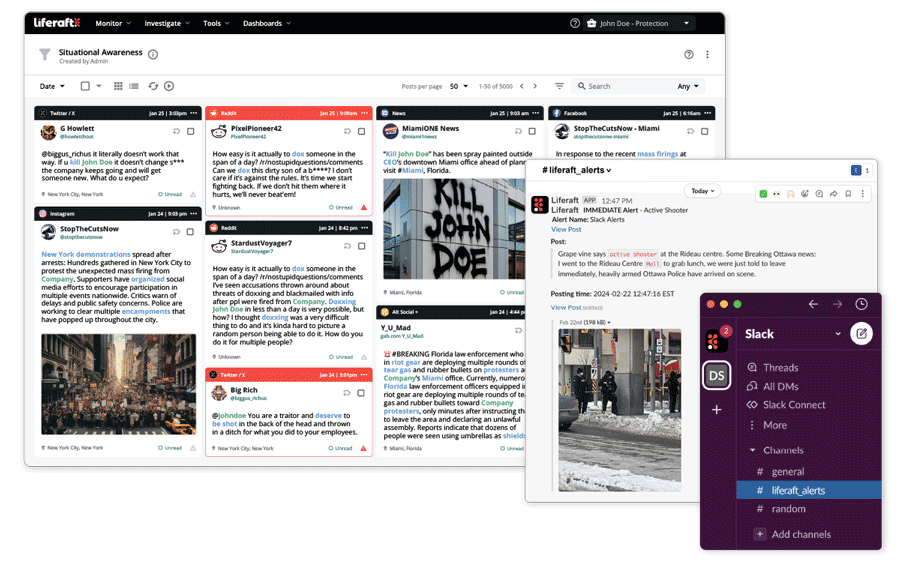
Tune alerting to the risks specific to your organization, people, and assets, so your team sees what's relevant and skips what isn't.
Real-time notifications
Get alerted the moment high-risk activity surfaces, across email, mobile app, and Slack.
Noise reduction by design
Custom keywords, Boolean queries, and curated threat feeds focus collection on what's relevant. Our Alert Deduplication tools then collapse duplicate hits on the same threat, and our Risk Trends & Analysis groups and summarizes related activity, so your team reviews each credible risk only once instead of sifting through duplicates.
Map your alerts
Plot analyst-verified alerts through Situational Awareness to spot geographic trends and proximity to your assets.
Outcomes & Benefits
-
Liferaft helps your team reach clarity faster by closing the gap between a threat surfacing and understanding it.
-
Your team acts on validated, credible signals instead of raw noise.
-
Every ‘escalate’ or ‘stand-down’ call is backed by evidence, not guesswork.
-
Threat monitoring stays focused on the people, executives, and assets most at risk.
Up to hours
of manual work saved every week.
The platform has been a game-changer for our security team. We can now monitor social media threats in real time and respond quickly, saving the team 20 hours of manual work.
Analyst | Software Firm
Use Cases
Executive protection
Monitor threats against executives and their families as they emerge.
Threat Intelligence
Give analysts a continuous, filtered stream of credible threats, turning raw signals into intelligence that the wider team can act on.
Duty of Care
Surface risks to traveling and remote employees in real time.
Find the Right Threat Intelligence Fit
Use our Threat Intel Tool Matrix to assess your organization’s risk profile, align on key platform requirements, and make more confident decisions when evaluating threat intelligence solutions.
Frequently Asked Questions
How does Liferaft help organizations detect emerging threats?
Liferaft’s OSINT Platform continuously collects publicly available data and flags activity by the keywords, entities, locations, and risk categories you define. Real-time, location-based alerts and curated feeds surface incidents as they unfold, so your team can spot suspicious behavior, misinformation, or planned disruption before it becomes an incident.
How fast will we receive alerts?
Collection runs continuously, so alerts and summaries are delivered in near real time through your preferred channels, including email, text, and Slack, so your team can triage, investigate, and respond without delay.
How does Liferaft help reduce noise so teams focus on real threats?
Alert Dedupe automatically removes duplicates, reducing alert volume by up to 60%, while Insights Digest clusters related data into concise summaries and sentiment analysis helps classify risk, for fewer false positives and more relevant alerts.
Does Liferaft provide granular control over threat intelligence alerts?
Yes. You can define the specific keywords, entities, risk categories, or locations you care about, and tailor alerts by severity or topic, so your team focuses on high-priority threats without being overwhelmed.
What channels can Liferaft deliver alerts through?
Liferaft delivers alerts by email, SMS text, and Slack, in near real time as relevant activity is detected. Alerts cover queries, followings, location-based awareness, and deep and dark web activity, and each user chooses the channels they want. API access supports pushing alerts into other systems your team already watches.
Can I prioritize or triage alerts by severity or risk level?
Yes. Queries carry custom priority scoring, and AI-assisted tagging and sentiment analysis classify content by topic, emotion, and risk so the highest-priority items rise to the top of the queue. Alert Dedupe removes duplicate notifications, cutting alert volume by up to 60%, and analysts can filter further by source, author, or keyword combination.
Can different teams or locations have their own alert profiles?
Yes. Alert conditions are set per query, per following, and per geographic area, so a regional GSOC, an executive protection team, and a cyber intelligence team can each run their own profile inside the same account. Team and case permissions control who sees which alerts, which keeps sensitive work restricted while routine coverage stays shared.
How does threat monitoring connect to investigations once a threat is flagged?
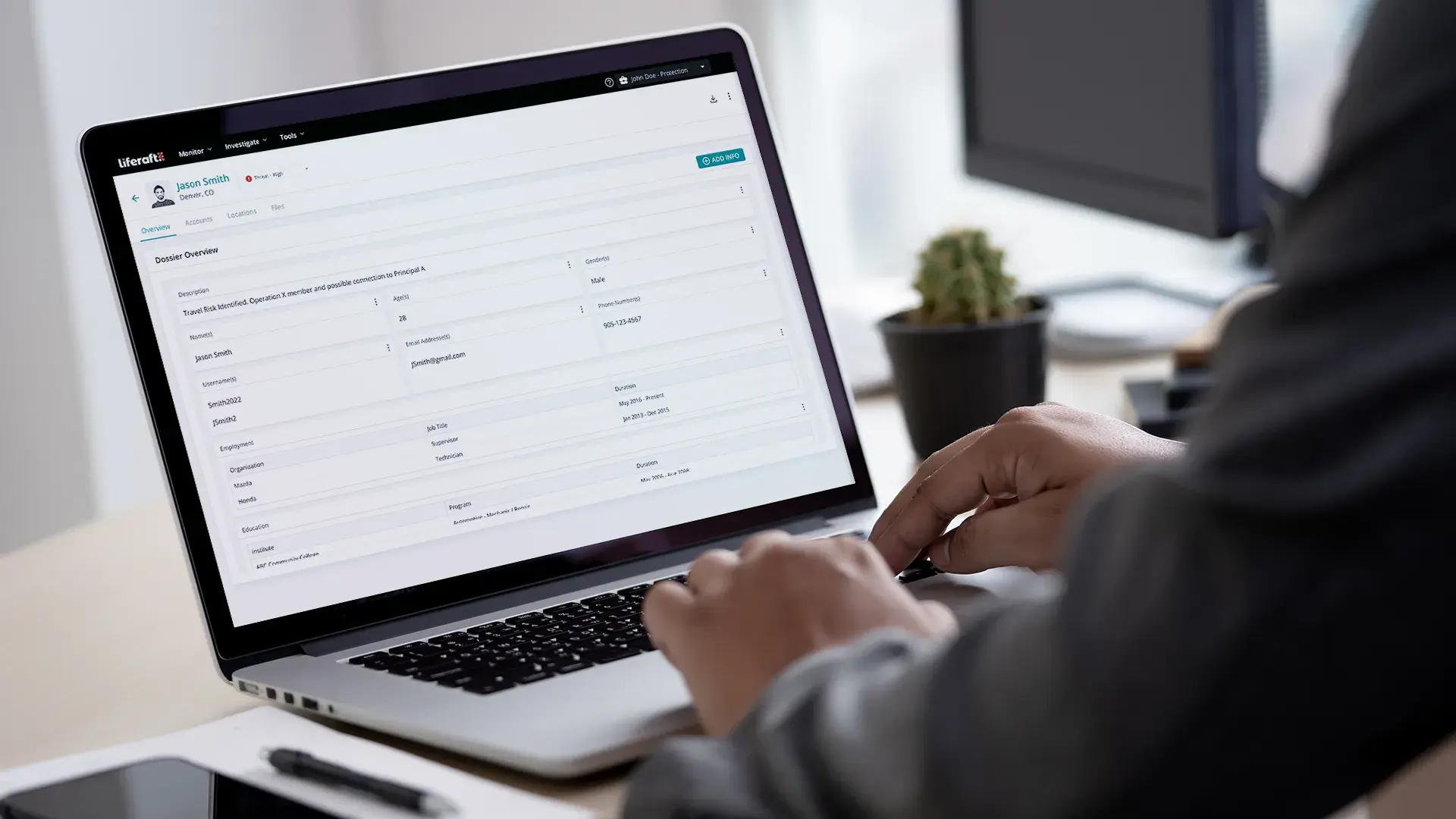
Analysts who flag a post or concerning content can move into investigation without leaving the platform. Analysts can review an author’s recent public activity and run identity resolution using Liferaft iD to connect an account to a real-world actor. Using Dossiers, analysts can save posts, screenshots, and notes to a case file to support escalation or stand-down decisions. The case keeps its sources and timestamps, so the record holds up once that decision is made.
Book a Meeting with Us
Learn how our unified platform for intelligence-driven threat detection, investigation, and collaboration can solve your needs!